1. Vendor Credits (Purchase Side)
Purpose: Used when you return goods to a vendor, or when the vendor issues a refund or price adjustment.
Typical Scenarios:
You return damaged or excess stock
Vendor overcharges or gives post-invoice discount
You made an overpayment
Steps to Create:
Go to Vendor Credits or open a Purchase Invoice and click "Create Vendor Credits".
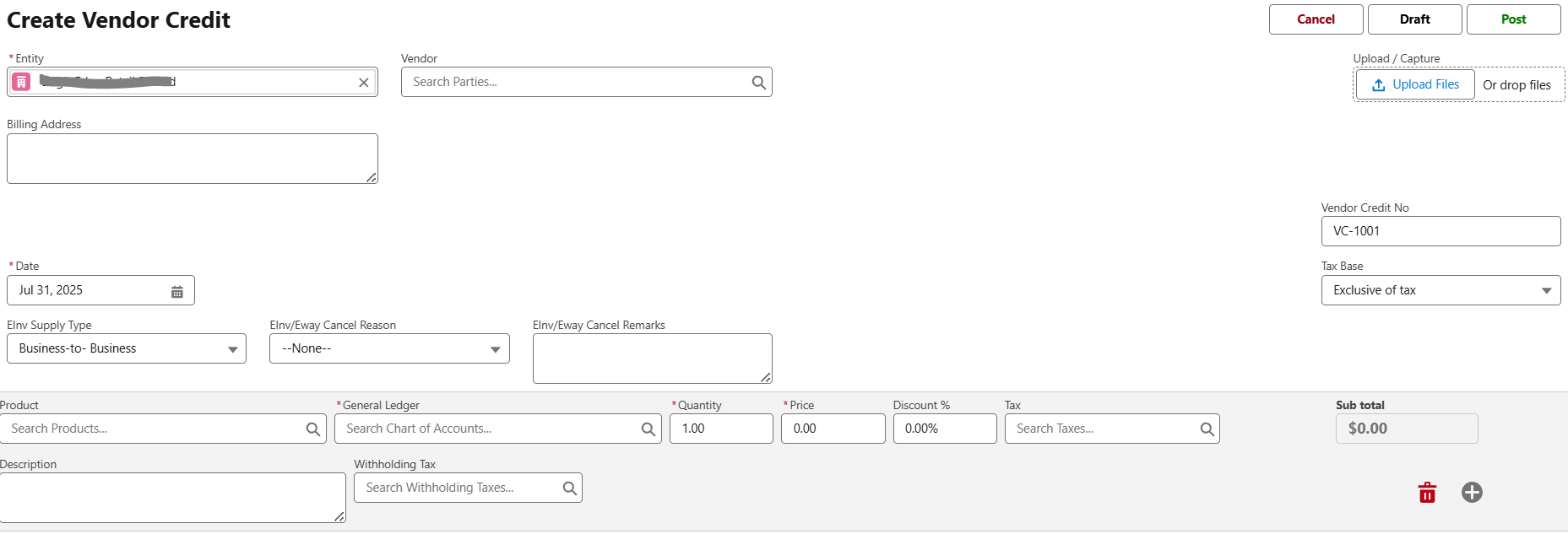
Enter:
Vendor name
Credit Date
Reference Bill (optional)
Item/amount details
Save and Post.
How It Works:
Can be applied against unpaid Vendor Bills.
Reduces your overall liability to the vendor.
Reflected in Accounts Payable balance.
2. Credit Notes (Sales Side)
Purpose: Issued when a customer returns goods or you give a post-sale price adjustment or refund.
Typical Scenarios:
Customer returns damaged goods
Overbilling or correction after invoice sent
Promotional refund/discount
Steps to Create:
Go to Credit Notes or open a Sales Invoice and click "Create Credit Note".
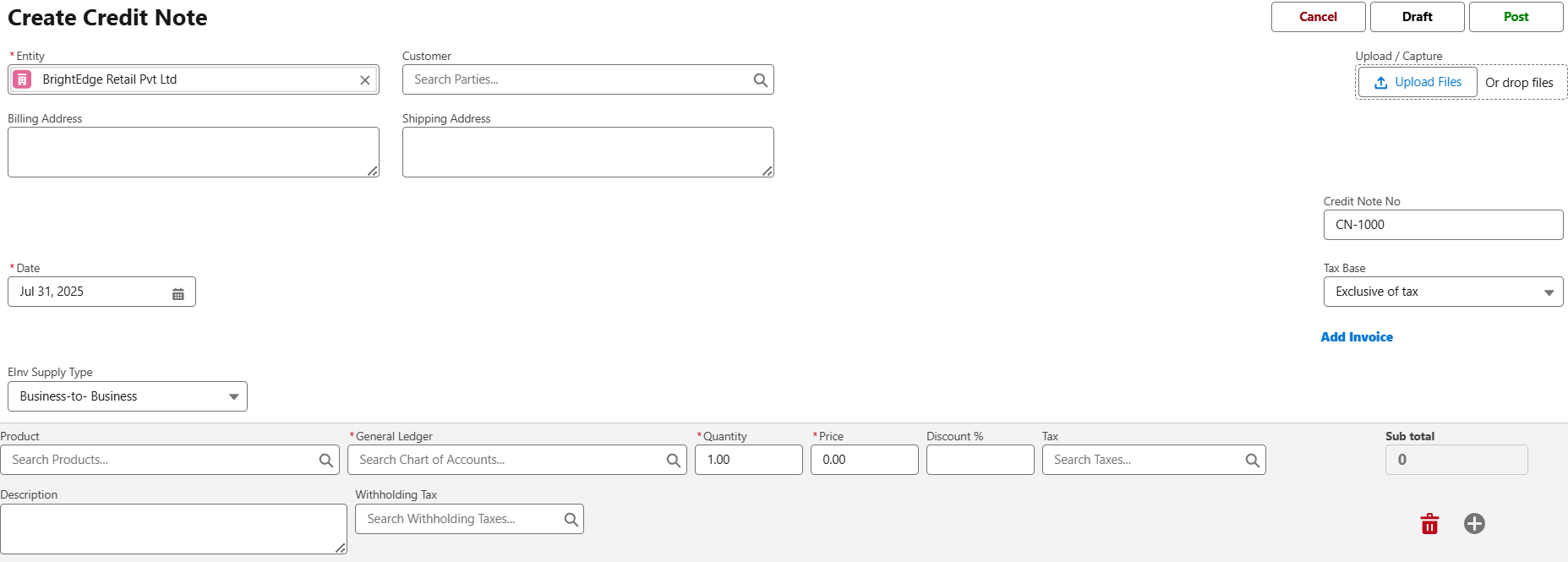
Enter:
Customer details
Return items or amount
Credit Note Date and reference invoice
Save and Post.
How It Works:
Reduces Accounts Receivable for the customer.
Can be applied to future invoices or refunded.
Visibility
Vendor Credits and Credit Notes are shown separately in reports.
Net payable and receivable positions reflect these credits dynamically.
You can track unallocated credits from vendor or customer views.
Was this article helpful?
That’s Great!
Thank you for your feedback
Sorry! We couldn't be helpful
Thank you for your feedback
Feedback sent
We appreciate your effort and will try to fix the article