Your Accounting App supports seamless integrations with popular business platforms to automate workflows and reduce manual effort. You can access and manage these connections through the Integrations tab.
How to Access
Navigate to the Integrations tab from the main menu.
You'll see a list of available integrations.
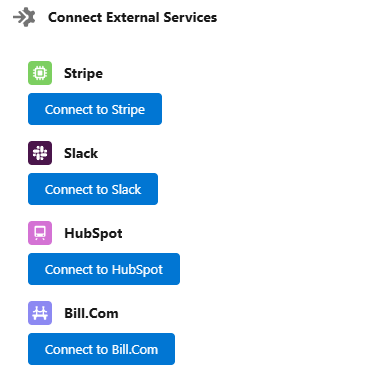
Available Integrations
| Integration | Purpose |
|---|---|
| Stripe | Accept online payments and sync transaction data automatically. |
| Slack | Receive real-time notifications and alerts about invoices, approvals, and financial activity. |
| HubSpot | Sync customer and contact data to maintain consistency across your CRM and accounting. |
| Bill.com | Automate accounts payable and receivable, and manage bills and payments efficiently. |
Connecting an Integration
Select the integration you wish to connect.
Click “Connect” and follow the authentication steps (OAuth or API key-based).
Once connected, configure specific sync options (e.g., auto-sync frequency, data filters).
Was this article helpful?
That’s Great!
Thank you for your feedback
Sorry! We couldn't be helpful
Thank you for your feedback
Feedback sent
We appreciate your effort and will try to fix the article