The Configure feature in your Accounting App allows administrators to enable or disable specific features, fields, and options for various objects such as Invoices, Bills, Payments, Products, and more — without requiring any code changes.
This makes the app highly flexible and adaptable to your organization’s business processes and regulatory needs.
Use Cases
- Turn On/Off Products on Purchases or Sales
- Turn On/Off Tax on Purchases or Sales
- Turn On/Off Withholding Tax on Purchases or Sales
- Turn On/Off Discount on Purchases or Sales
- Set Book Closure Date
How to Access the Configure Settings:
- Select the Configure tab.
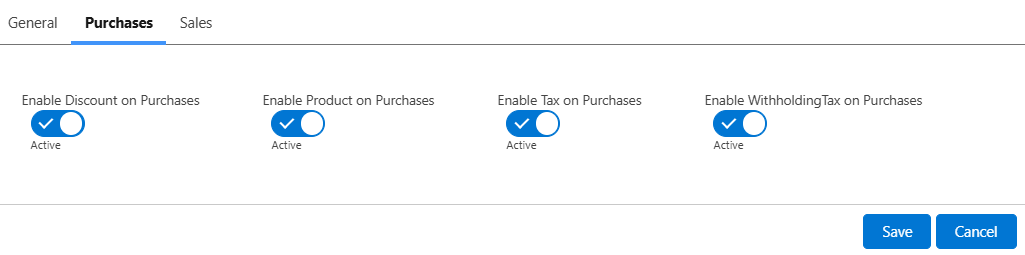
- Select Purchases or Sales tab you want to configure.
- You’ll see a list of toggles grouped by functionality.
- Turn features ON or OFF as needed.
- Click Save.
Changes will reflect immediately in the relevant screens.
Permissions
Only users with Admin or Configure-level access can change these settings. Configuration applies at the org level, meaning changes affect all users.
Best Practices
- Turn off unused features to simplify data entry
- Revisit configurations periodically as your processes evolve
Was this article helpful?
That’s Great!
Thank you for your feedback
Sorry! We couldn't be helpful
Thank you for your feedback
Feedback sent
We appreciate your effort and will try to fix the article